Everything Dirtmo does.
The map, the ride, the trails and the people you ride with. Here is each part, shown in the app as it is today.
Maps that work with no signal.
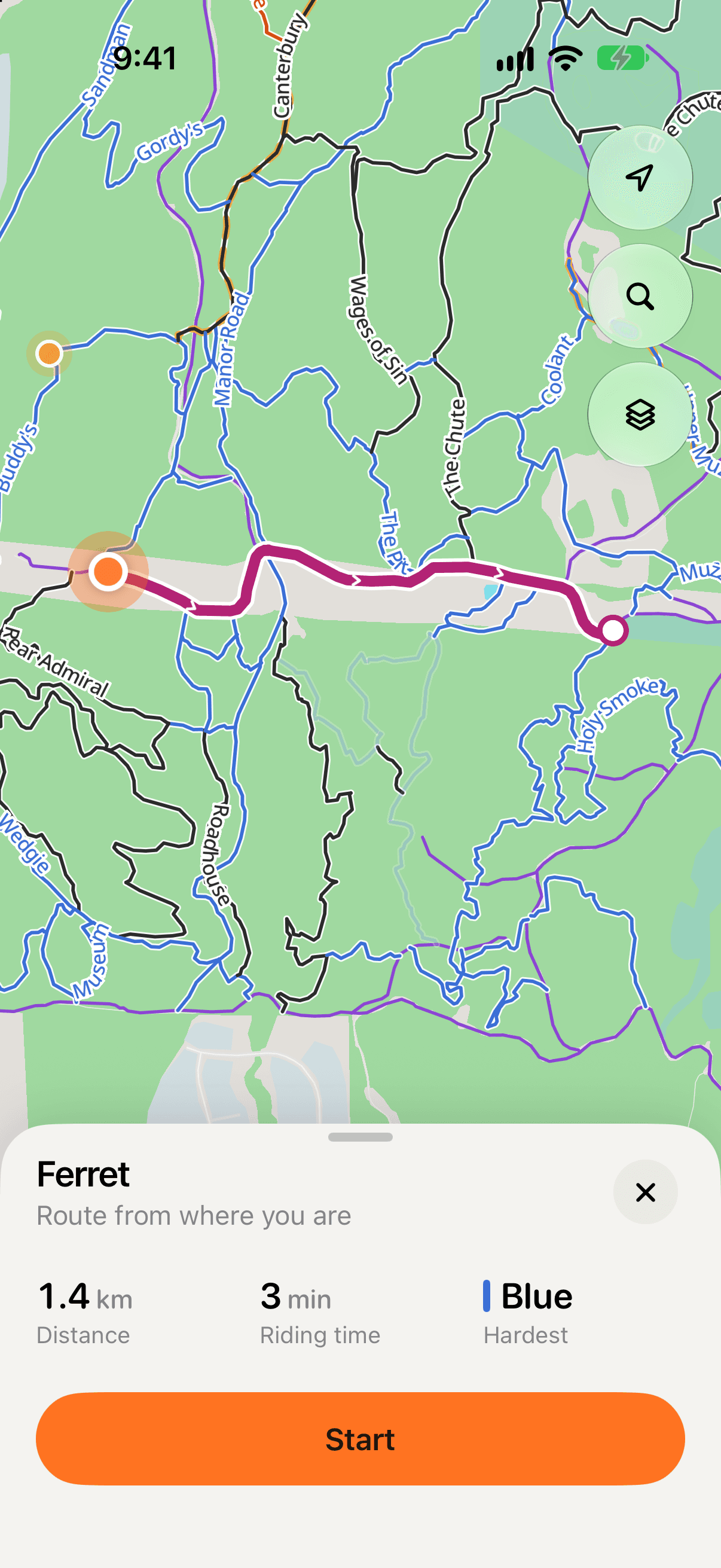
Download a riding area and the map goes with you: every trail, the staging areas and where you are, with no reception at all.
- Trails in their difficulty colours, from green to pro line, and access roads in purple.
- Staging areas, where riders park and unload, set by the club that looks after them.
- While you have signal, the app saves the map around you on its own.
- Download as many areas as you like, free for every rider.
- Maps and trails are free to browse without an account.
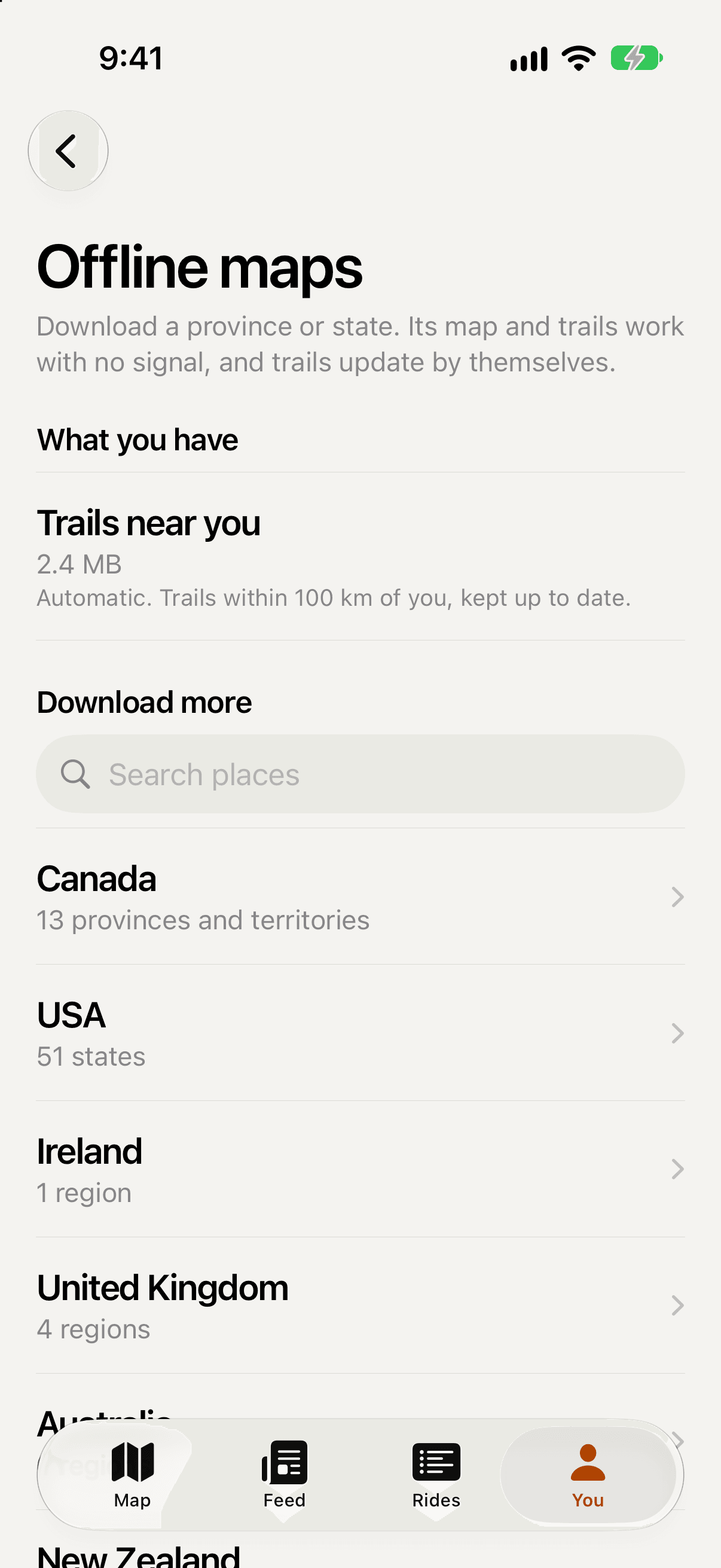
Record with the phone in your pocket.
Recording needs an account but no network. Sign in once with signal; after that, rides record and save on the phone with none, and upload by themselves when you are back in range.
- Recording keeps going with the screen locked, and the ride shows on the Lock Screen and in the Dynamic Island.
- Riding time counts the riding, not the breaks, so a slow crawl up a rock step still counts.
- Forgot to stop? Crop the ride to when you really started and finished.
- Where the GPS dropped out and the way isn’t clear, the line says so instead of guessing.
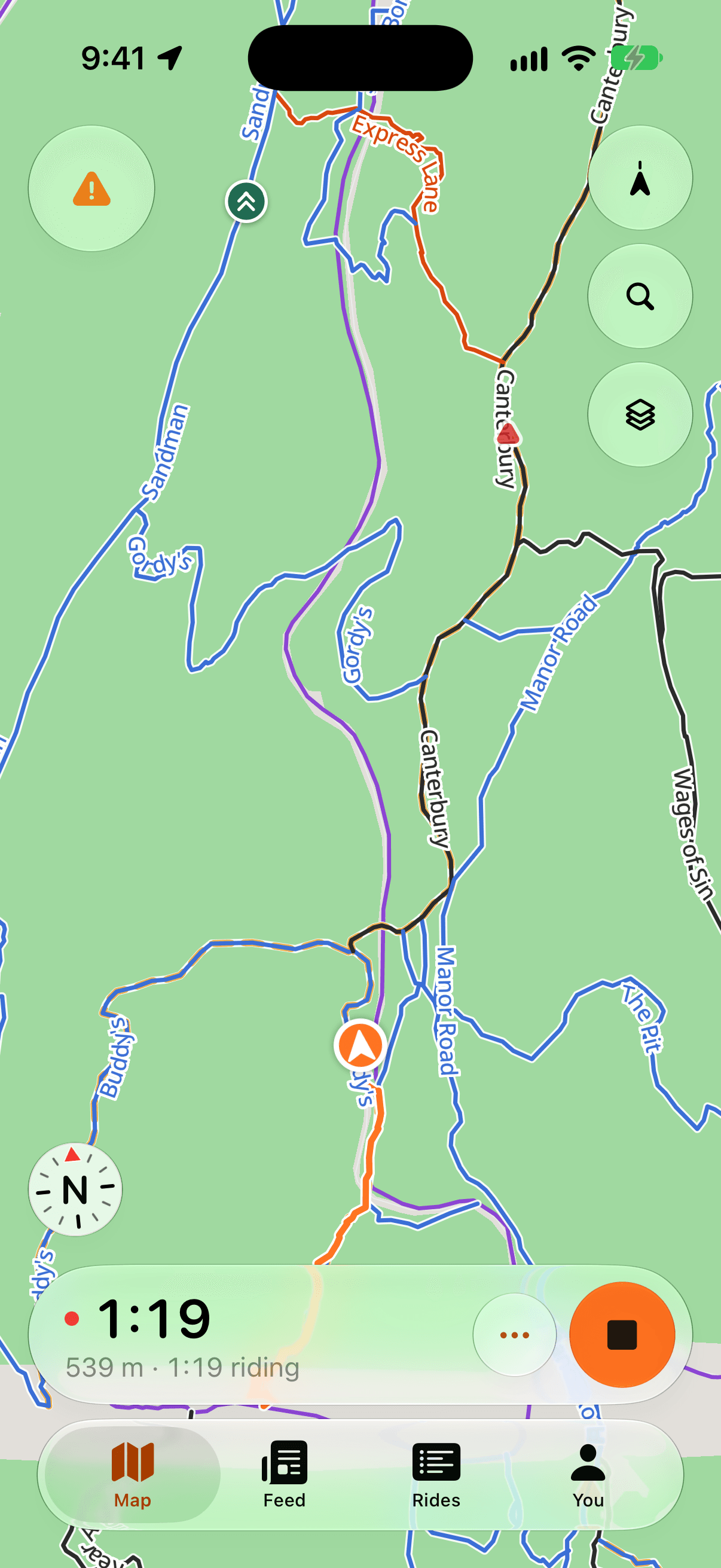
Every trail, and your time on it.
Each trail has its own page: its difficulty and length, its height profile, what riders saw on it lately and what the club says about it.
- A leaderboard of the top 100 riders who share their times, with your own place on it, and a Friends tab that shows where each friend stands overall.
- A trail’s usual time and how popular it is, from anonymous totals once five riders are behind them.
- Report a hazard while you ride: one tap marks a tree down, a washout or a damaged bridge right where you are, even with no signal.
- Condition reports from riders, which the next riders confirm or clear.
- Open, caution or closed only ever comes from the club. Unknown is never shown as open.
- Share my times is on from the start, and one switch keeps your times to yourself.
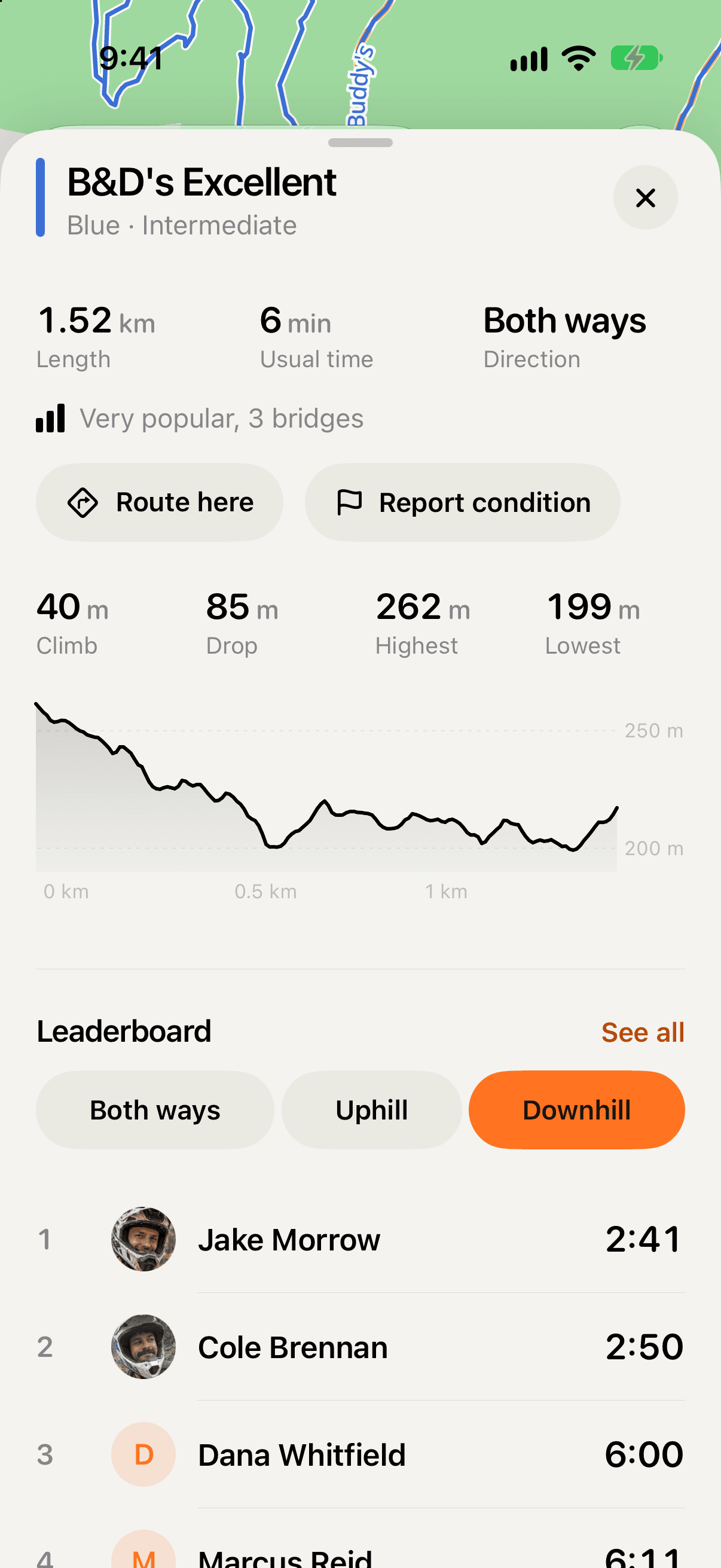
Route here, and Back to start.
Pick a trail or a friend and Dirtmo finds a way there on trails and access roads, worked out on your phone, with the next turn on screen. No signal needed once the area is downloaded.
- The next turn, how far away it is and the trail’s difficulty, large enough to read at a glance.
- Off route? It finds a new way from where you are.
- Back to start finds the fastest way back to where your ride began, and says when the only way is a harder trail.
Route here is part of Pro. Back to start is a safety feature and free on every ride.
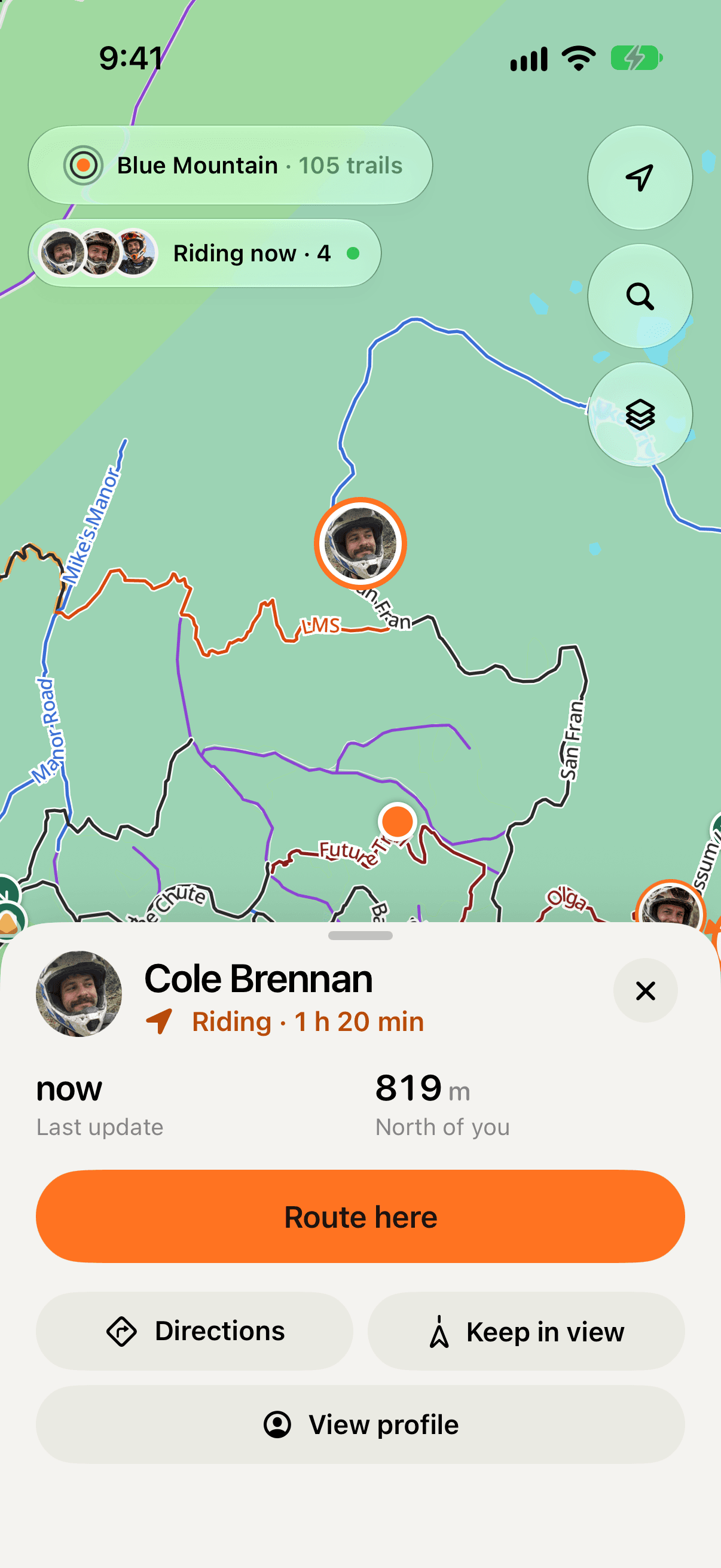
Ride together; see each other on the map with Pro
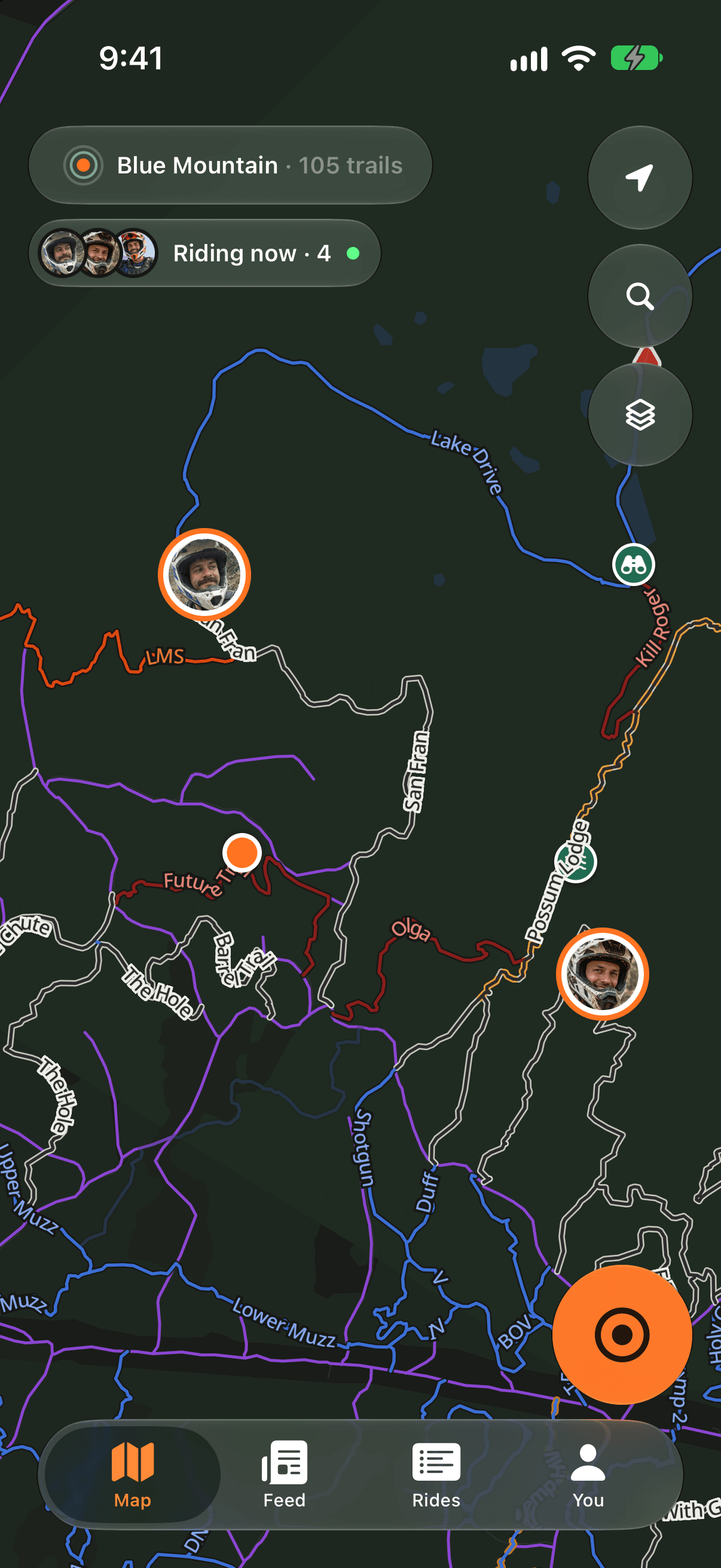
Start a ride with friends and share your live location for free. Each friend gets an invite, and nothing is shared until they say yes. Seeing friends on your map is part of Dirtmo Pro.
- Only Pro riders on the same ride see where you are, and only while you ride.
- Only your latest position is kept, never a trail of where you’ve been.
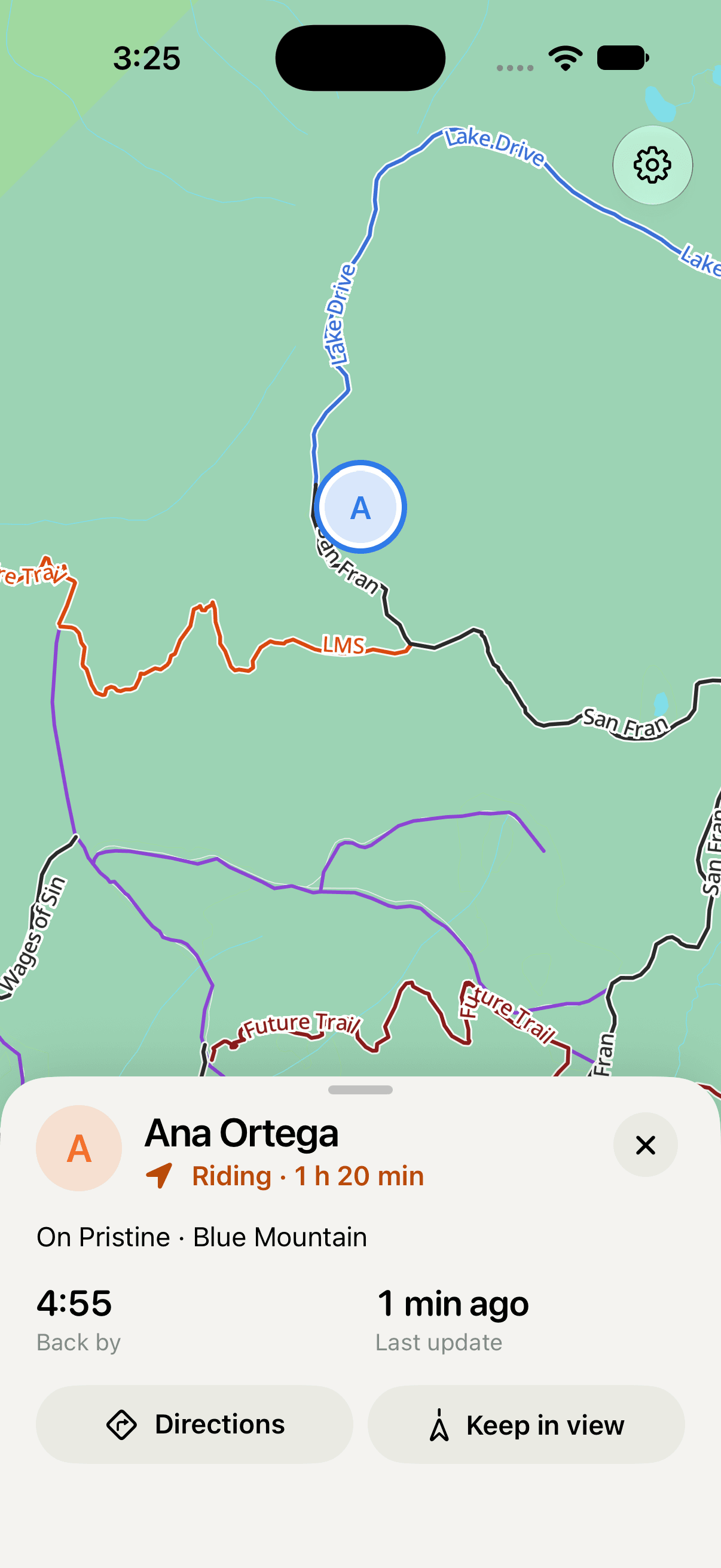
- A notice tells you when a friend starts riding. Tap Show to find them, or Keep in view on their rider sheet to follow them as they move.
- Tag who came and they get the ride’s map and recap in their app, even if they didn’t record.
- A tag shares the ride, never your GPS recording, personal bests or mileage.
Seeing friends on the map is part of Pro. Sharing your own live location stays free.
A little peace of mind for the people at home.
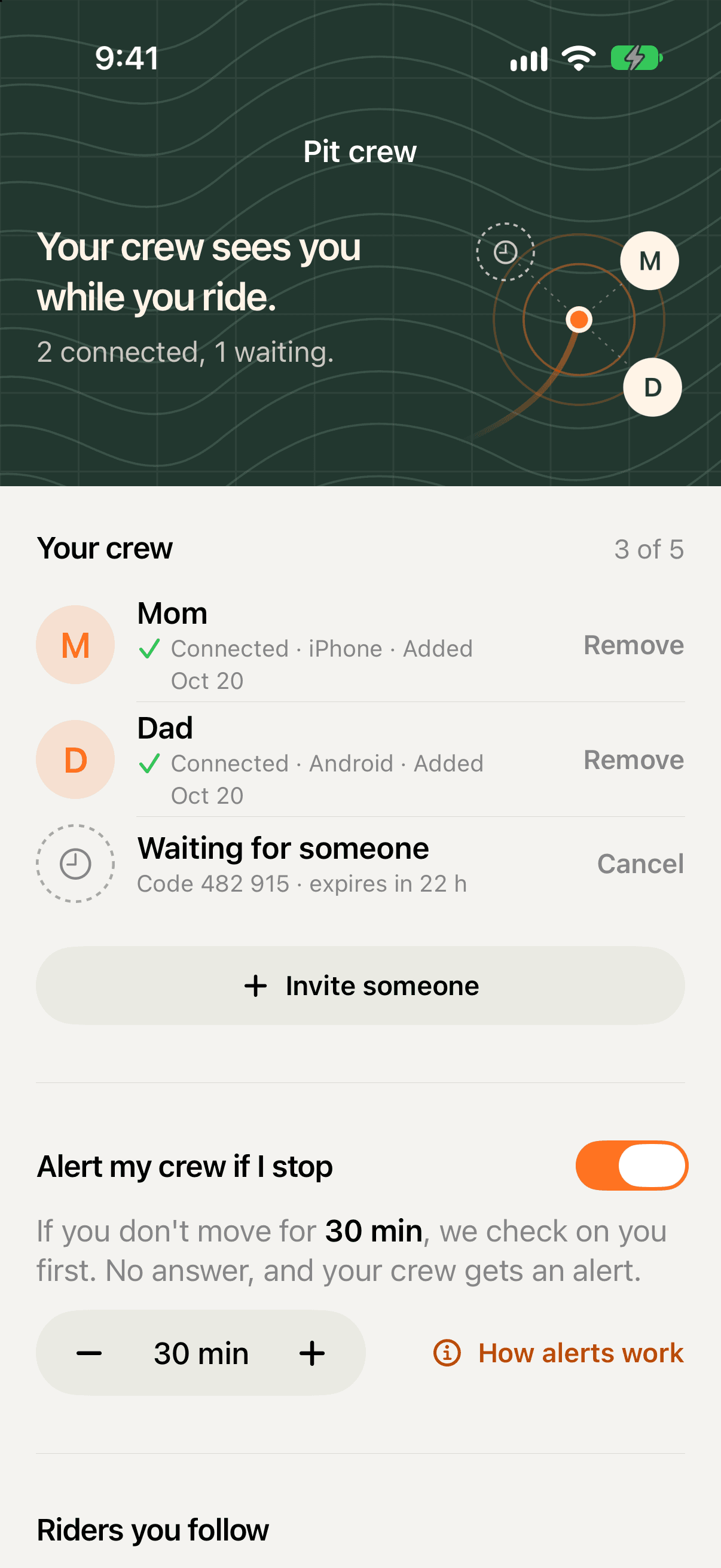
Family and friends at home can follow your ride in Dirtmo without an account. Give them a link or code to join your Pit crew. It’s free, because it’s a safety feature.
- They see where you are only while you record a ride, never the line you rode or a position inside a privacy zone.
- Set Back by before you leave. Dirtmo checks with you first, then alerts your crew if you are late.
- If you stop for longer than your chosen time, Dirtmo asks Are you OK? Your crew gets an alert if you don’t answer. Tap I’m fine to let them know.
- You can hide any ride from your crew, or remove someone whenever you want.
- Live positions and alerts need a connection. Losing signal alone doesn’t send a safety alert.
Friends, clubs and the ride after the ride.
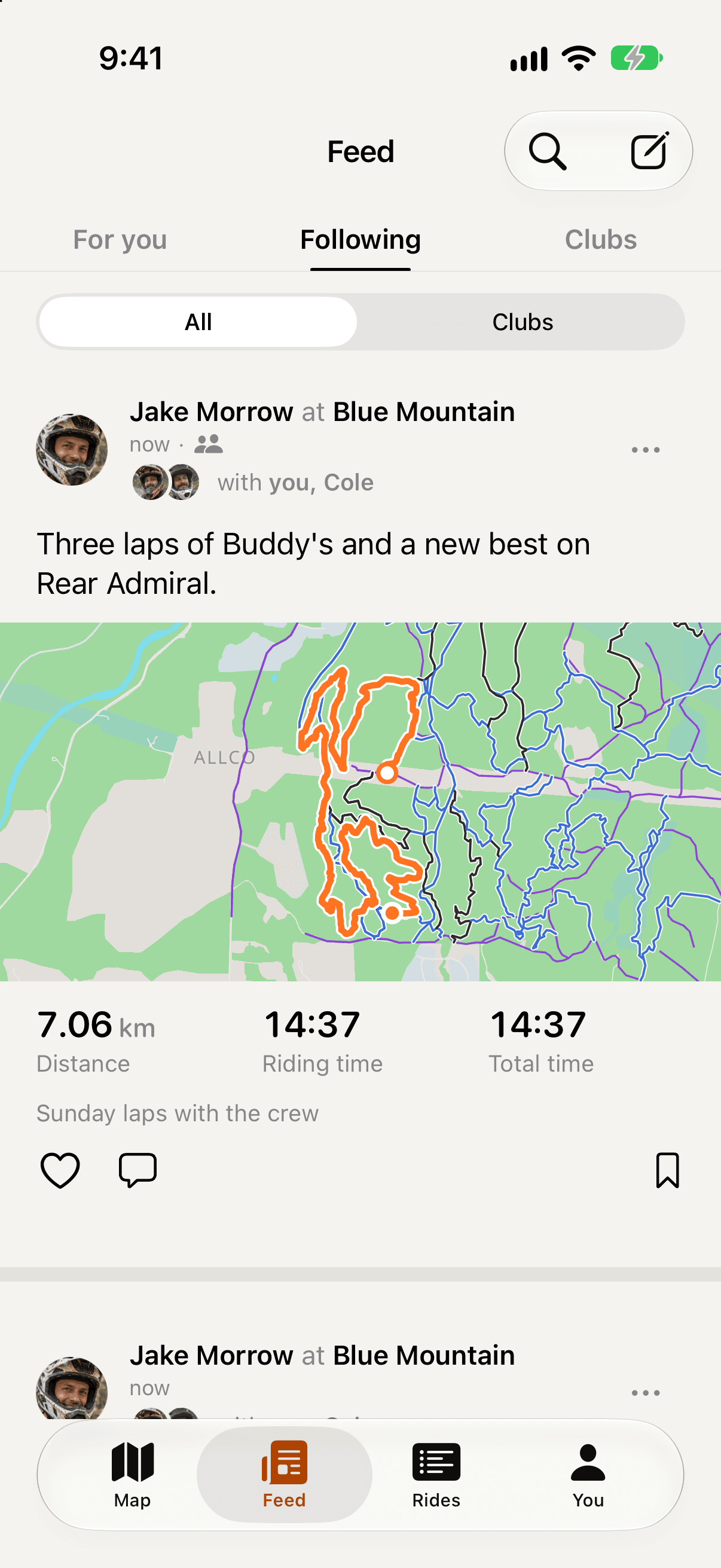
A feed that feels familiar: rides and posts from friends and clubs, with photos, comments and likes. For you shows what is public near you; Following shows the riders and clubs you follow.
- Post Looking for riders, and riders tap I’m in. No direct messages to manage.
- Save a post to come back to later, just for you.
- Profiles are public or private, and every ride has its own Who sees it.
- Photo posts go to your friends, or to everyone on Dirtmo when you choose, even with a private profile.
Send the ride as a picture.
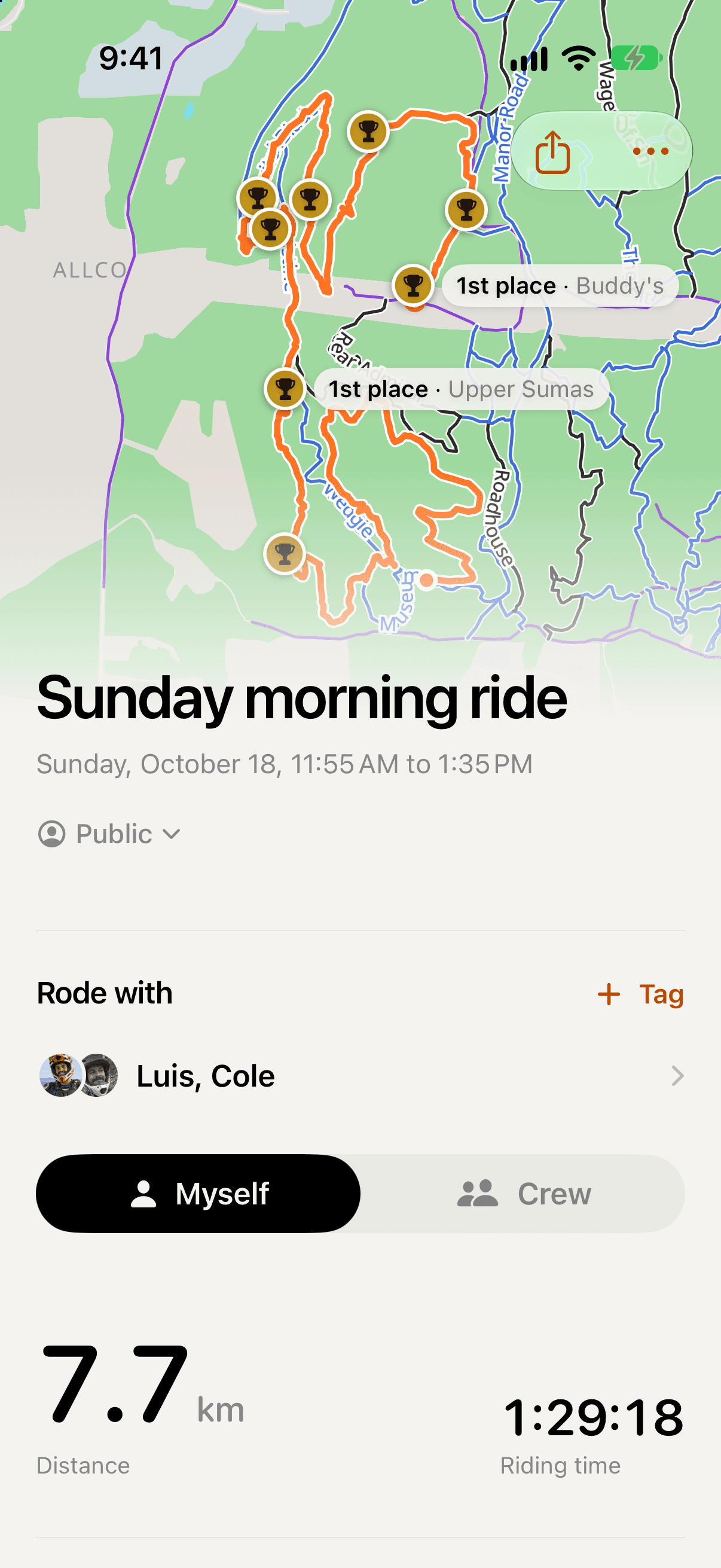
One share sheet turns a ride into a Story, a square picture or a sticker, with its route, medals and numbers, ready for the group chat.
- Medals on the map where you set a record, and one headline for the ride.
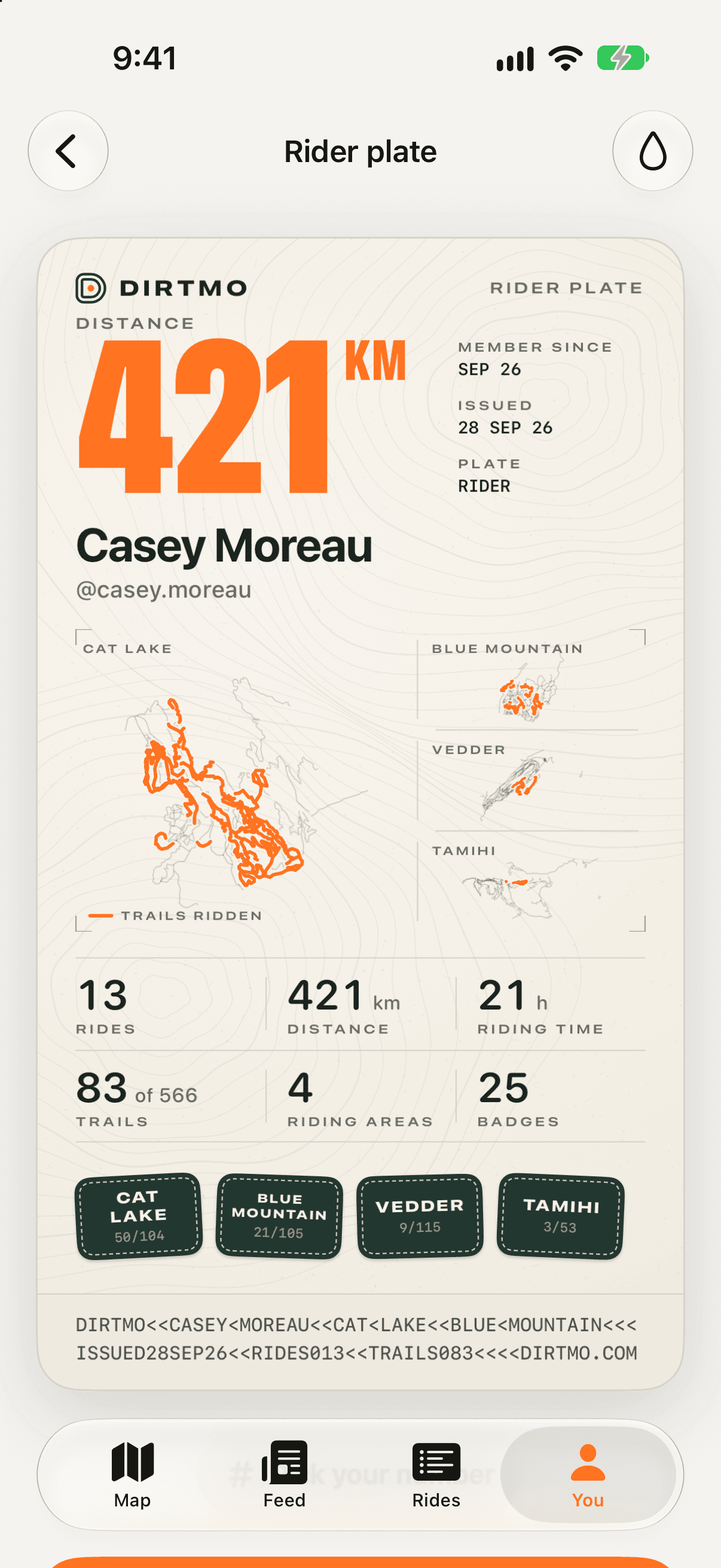
- The Rider Plate: your all-time riding on one card, like a motocross number plate.
- Badges for distance, riding time, your first black diamond and more, earned from your own rides.
- Anyone with a ride’s link sees it on the web, no app needed.
Exporting your own rides as GPX files is part of Pro.
Clubs, in the app and on the web.
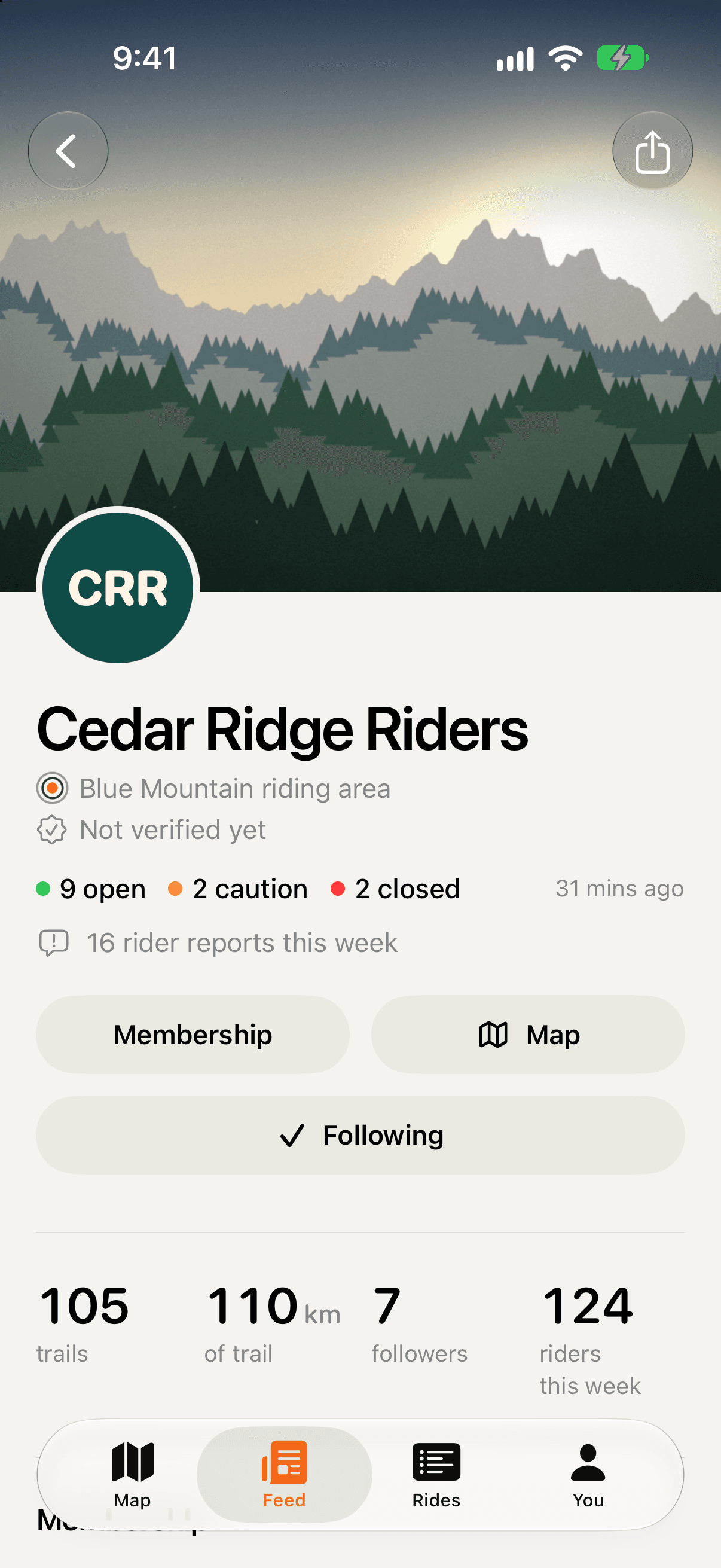
Follow the club that looks after your trails. Its page shows the trail status it publishes, its news with photos and PDFs, its staging areas and how to join.
- What a club says about a trail is marked as the club’s, beside what riders report.
- Every club also has a public web page, easy to find and to share.
- Club tools are free.
Private by default where it matters.
Where you ride is yours. You decide what others see, ride by ride.
- Your recording stays yours
- Others only ever see a cleaned-up copy of a ride. Your original GPS recording is never shared.
- Privacy zones
- Cut your home, or anywhere else, out of every map others see of your rides, and out of your live position.
- Chosen on each ride
- Every ride has its own Who sees it, so one private ride stays private while the rest are shared.
- Your times, your call
- Share my times decides whether others see your trail times. It starts on, and one switch turns it off.
And the small things.
- Dark mode
- The app and its map in dark, following your phone or your own choice.
- Kilometres or miles
- Set once, used everywhere.
- Rider numbers
- Pick a number from 1 to 999 for your profile, like the one on your plate.
- The garage
- When each service on each bike was last done and when it is next. Part of Pro.
Ride with the first riders.
Anyone can join Dirtmo while we build it with riders. On iPhone and Android.
- Founding rider
- The first 300 riders earn the Founding rider badge, for good.
- Pro
- Pro is free for everyone now.